Import opt-out lists from Customer.io
Contents
Logs is currently in early beta. While in beta, logs is free to use.
We're always looking for feedback to improve logs, please reach out to us directly in app.
In this guide we'll walk through importing your opt-out lists from Customer.io into PostHog. After following this guide, you will:
- Create an API key in Customer.io
- Export people with subscription preferences
- Import opt-outs into PostHog
- 1
Create an app API key in Customer.io
RequiredFirst, you'll need to create an app API key in Customer.io. This key will be used later to import all categories and generally unsubscribed customers.
Go to Settings > Account Settings > App API Keys in your Customer.io dashboard.
Click Create New App API Key and give it a descriptive name (e.g. "PostHog Import").
Important: Save this API key securely - you'll need it in step 3. Customer.io will only show it once.
- 2
Export people with subscription preferences
RequiredNow you need to export a CSV of people who have opted out of specific categories.
Go to the People page in your Customer.io dashboard.
To filter for people with subscription preferences:
- Click conditions at the top of the page
- Select
cio_subscription_preferencesfrom the dropdown - Choose the exists operator
- Confirm your choice

This will update the people list in the table below to show only those with subscription preferences.
Now export this data:
- Click Export to CSV in the top right corner
- Click Choose attributes
- Select only these two attributes:
cio_subscription_preferencesemail(make sure it'semailand not$email)
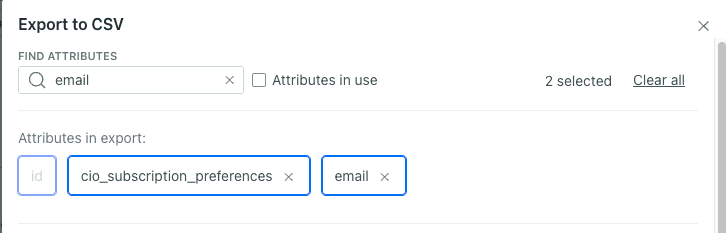
Customer.io will send you an email with a download link for the CSV file. Download this file - you'll upload it to PostHog in the next step.
- 3
Import into PostHog
RequiredGo to your PostHog app and navigate to Workflows > Opt-out list.
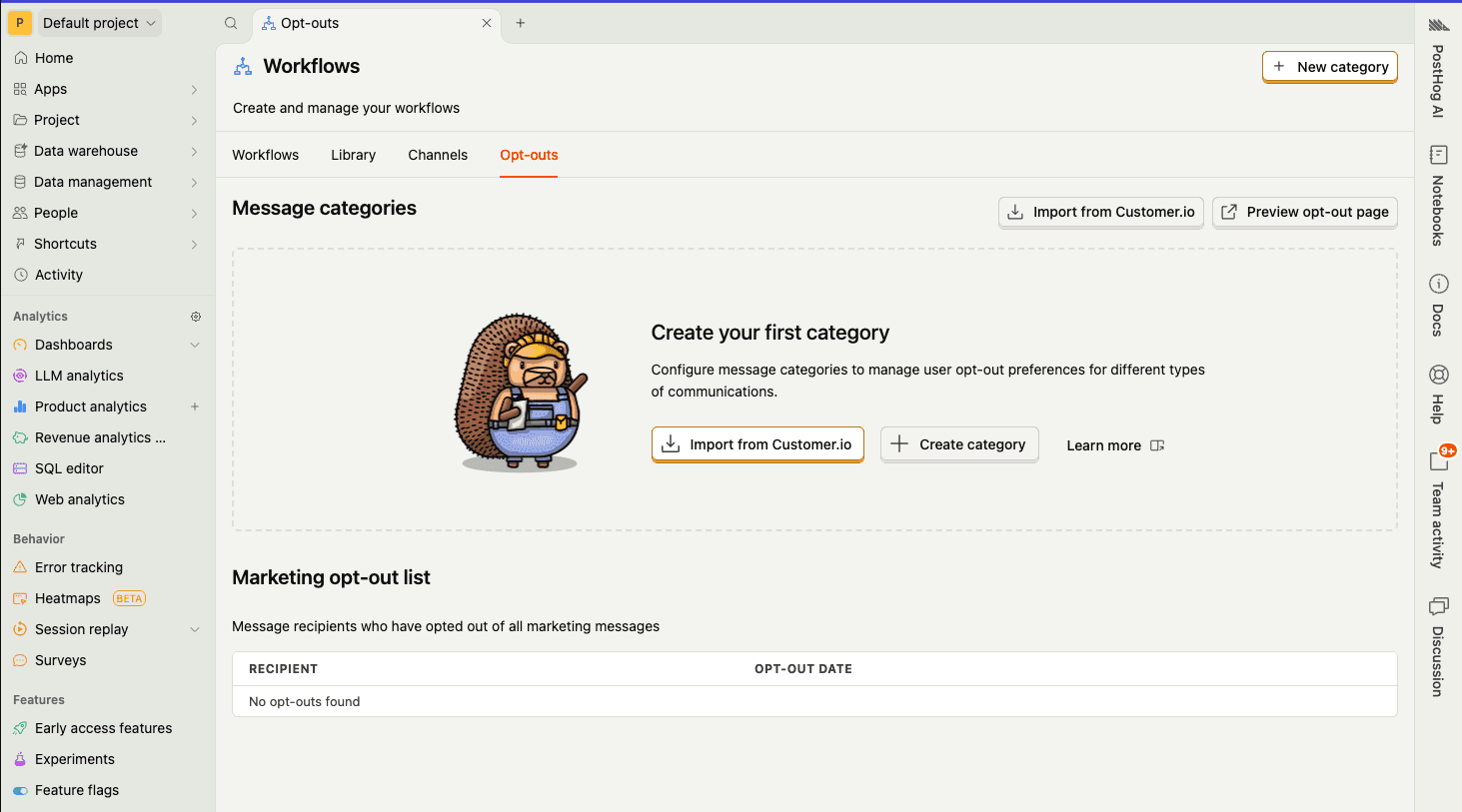
Click Import from Customer.io.
You'll see a two-step import process:
Step 1: Import via API key
Enter the API key you created in step 1. This will import:
- All available categories from Customer.io
- All customers who are generally unsubscribed (not subscribed to any category)
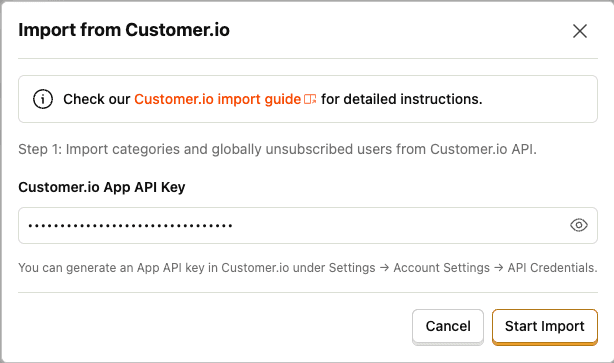
Due to rate limiting, we need to import customers that opted out of certain categories through the CSV.
Step 2: Upload CSV
Once step 1 is completed, you'll be prompted to upload the CSV file you downloaded in step 2.
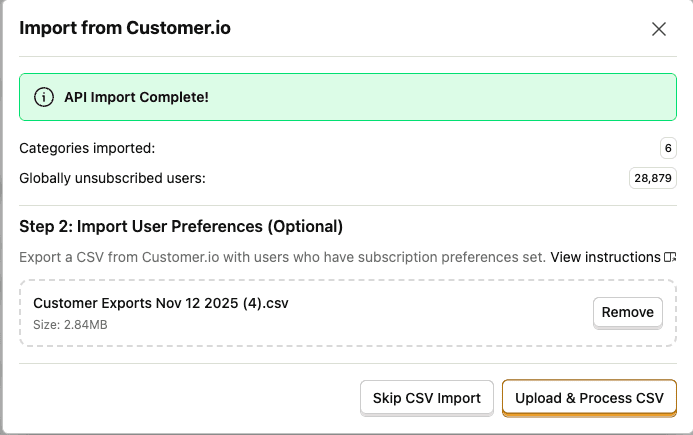
- Click Choose file and select the CSV you downloaded from Customer.io
- Click Upload & process CSV
This will import customers who opted out of specific categories (those with granular subscription preferences).
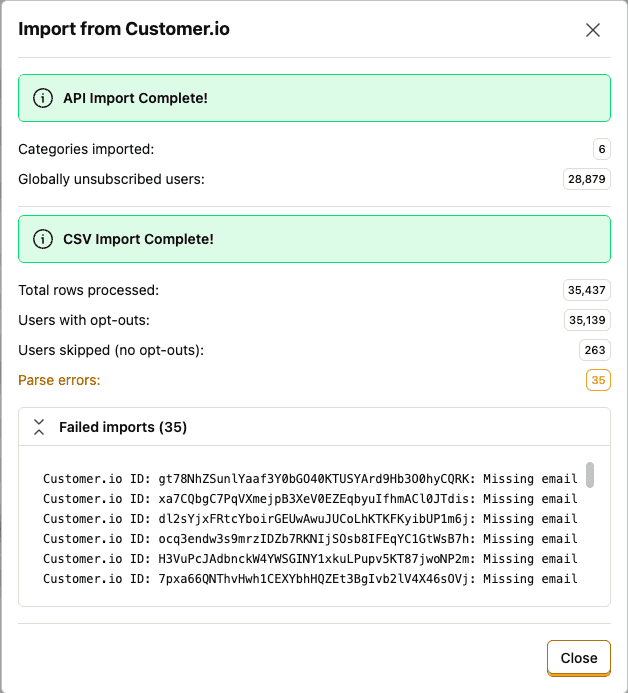
Once complete, you'll see a success message with a summary of imported opt-outs.
Your Customer.io opt-out lists are now imported into PostHog. These users will automatically be excluded from all future workflow campaigns based on their preferences.